¶ Linking Tutorial
This tutorial explains how to connect to the WeCarve software via Wi-Fi.
Step 1
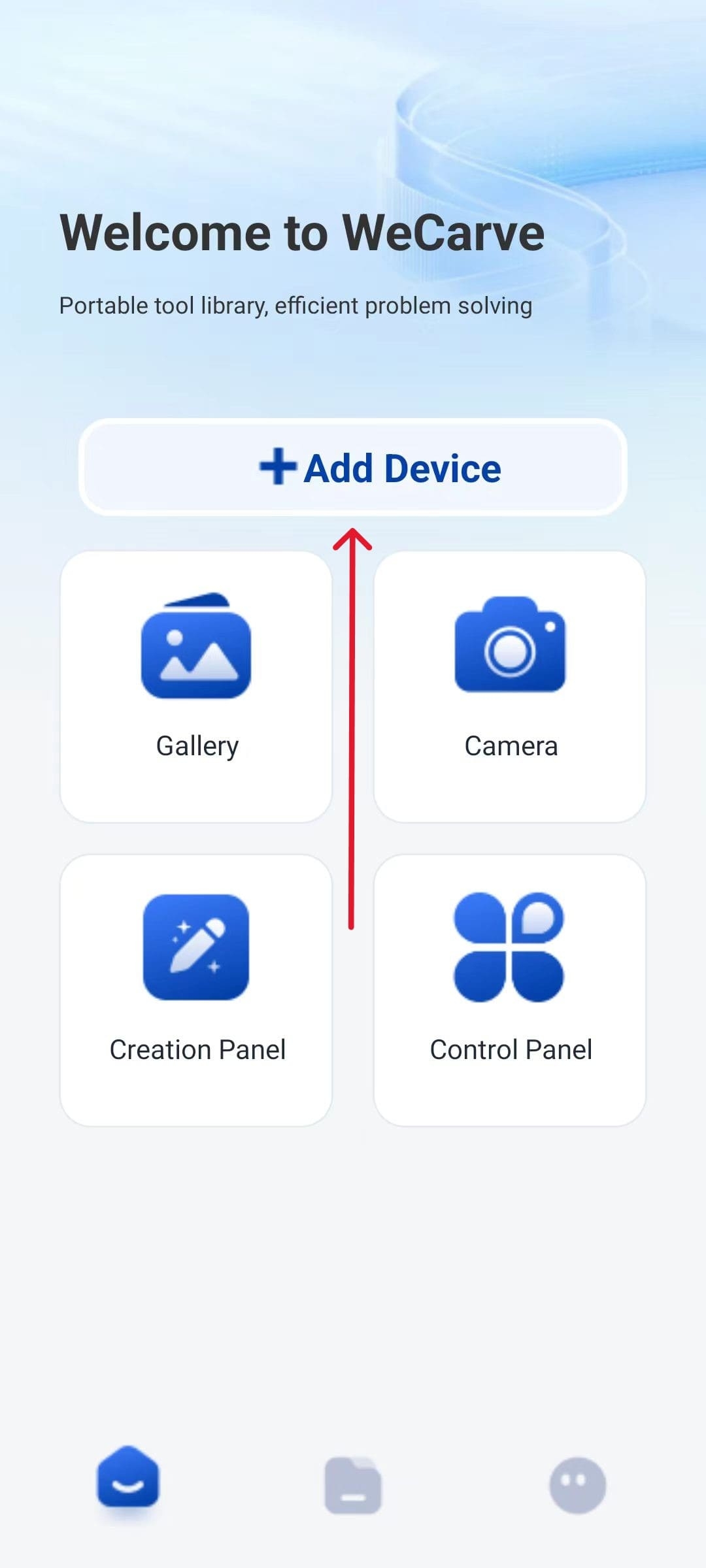
Click on the “Connect to Machine” option
|
Step 2
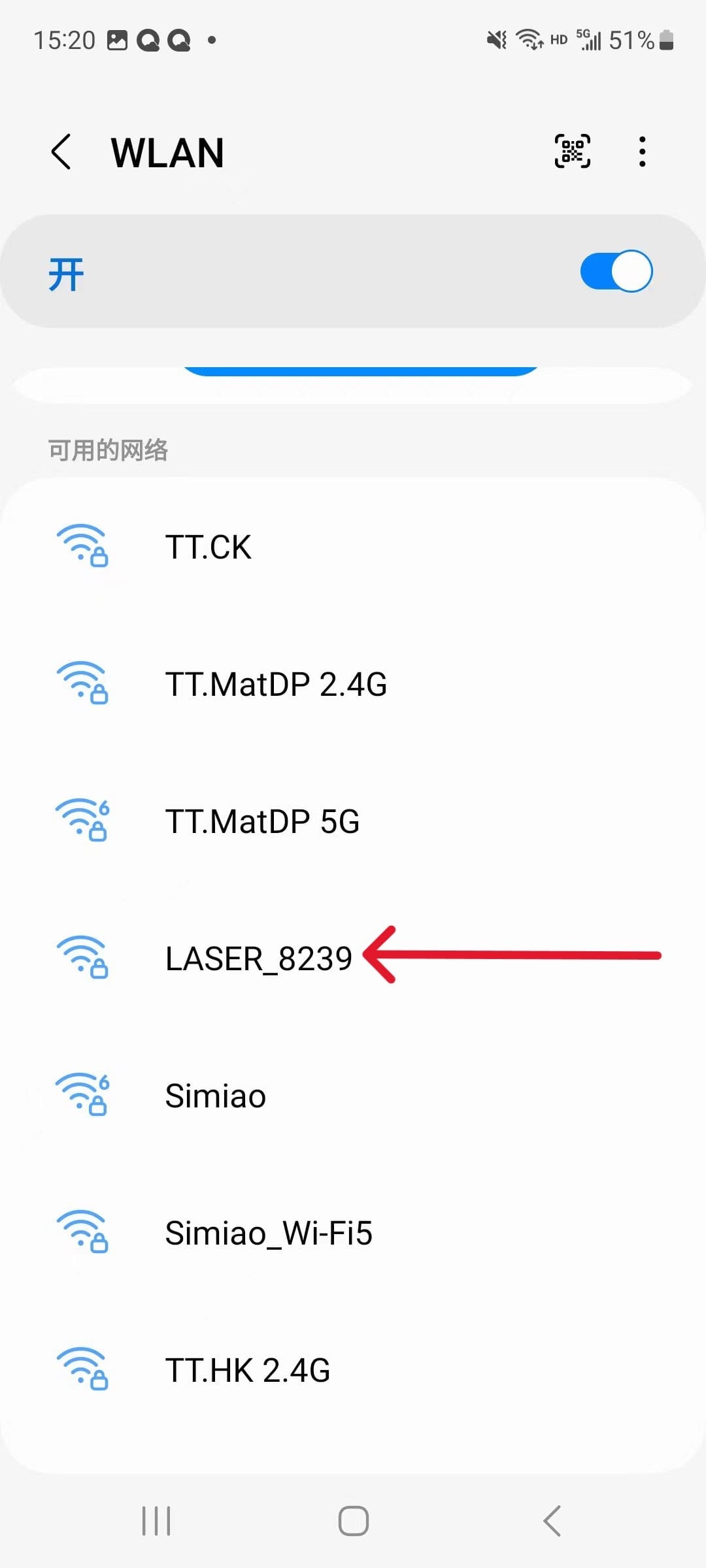
Open the Wi-Fi settings on your phone, find the signal starting with “LASER”, and note that the numbers following it are not exactly the same. Select this one to establish the connection.
|
Step 3
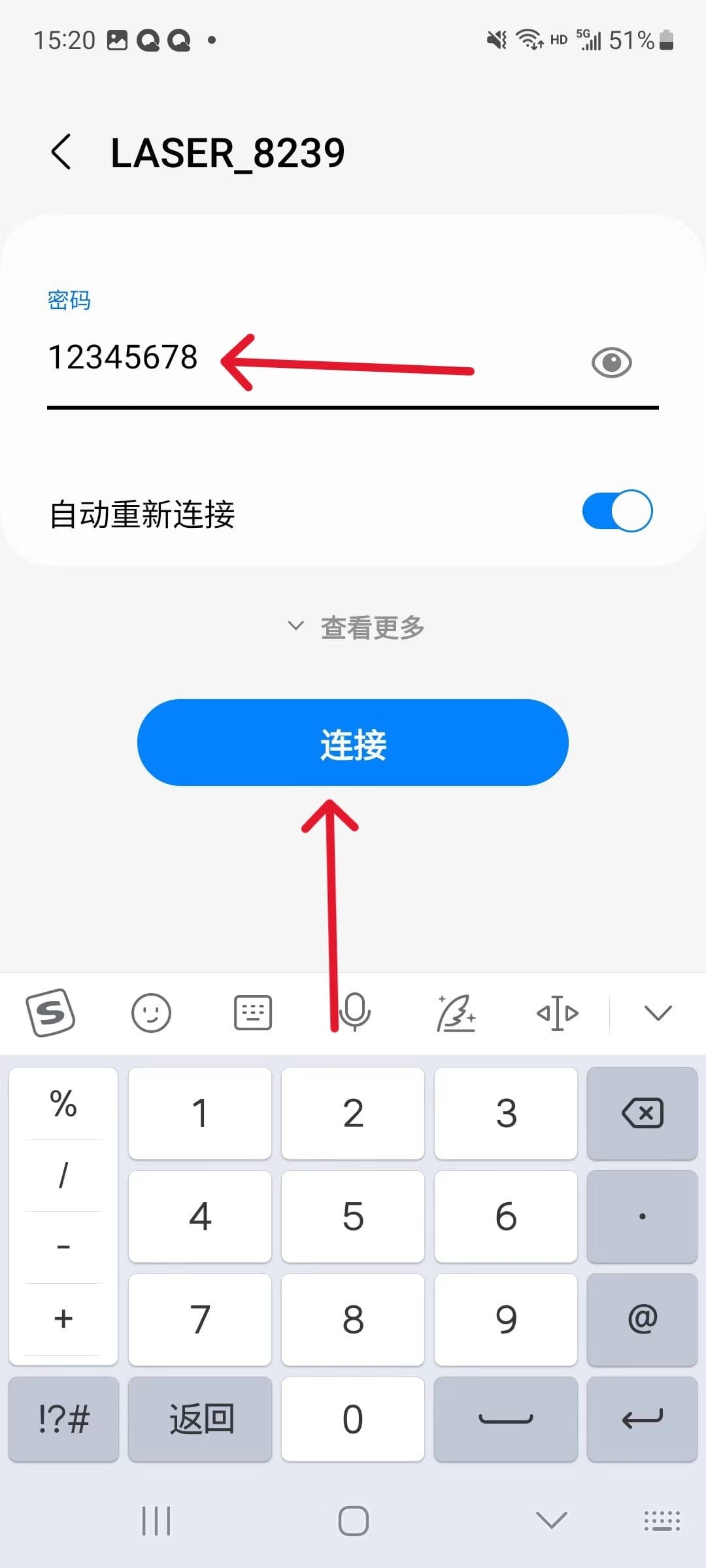
Enter the initial password 12345678, then click “Connect”. (Note: This Wi-Fi is not for network use. Ignore the prompt if you don’t need it.)
|
Step 4
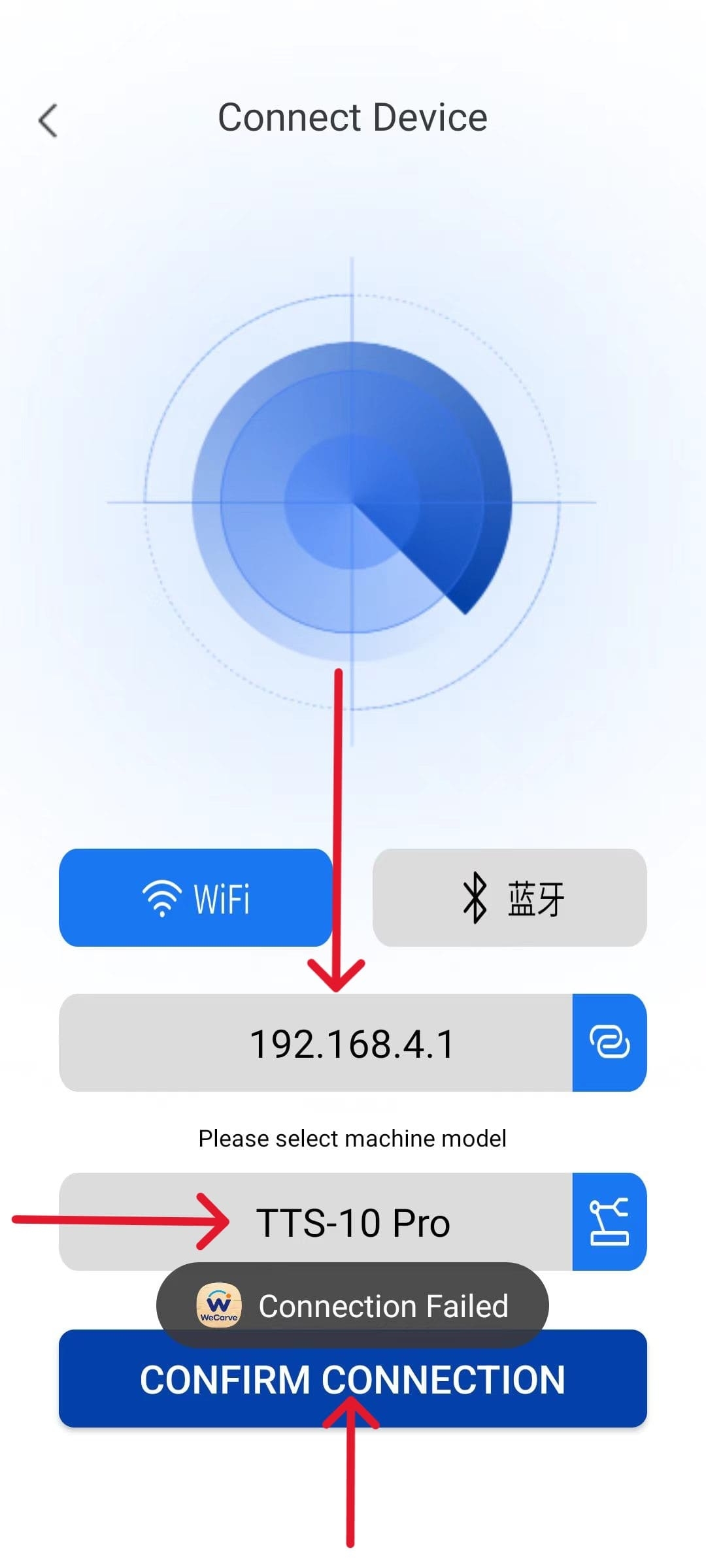
Enter the IP address of this network, select your device model and click the link to complete the connection.
|