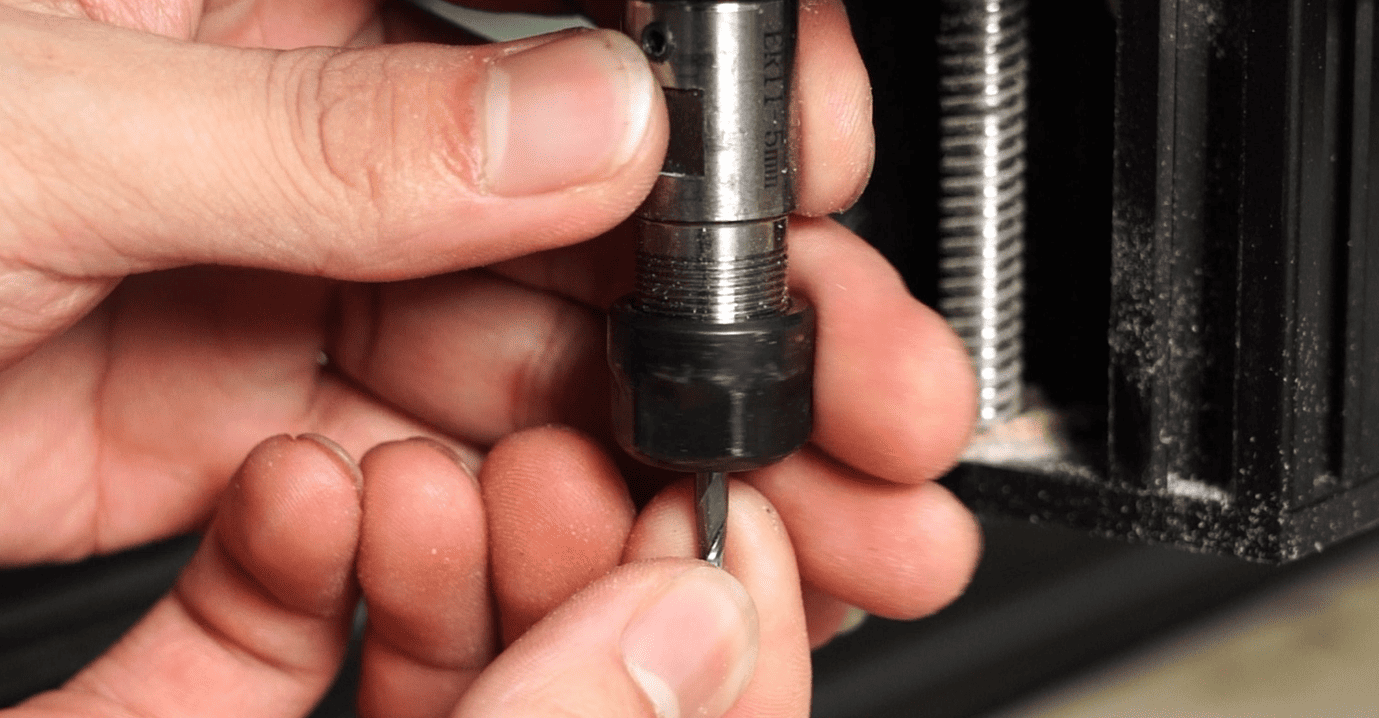
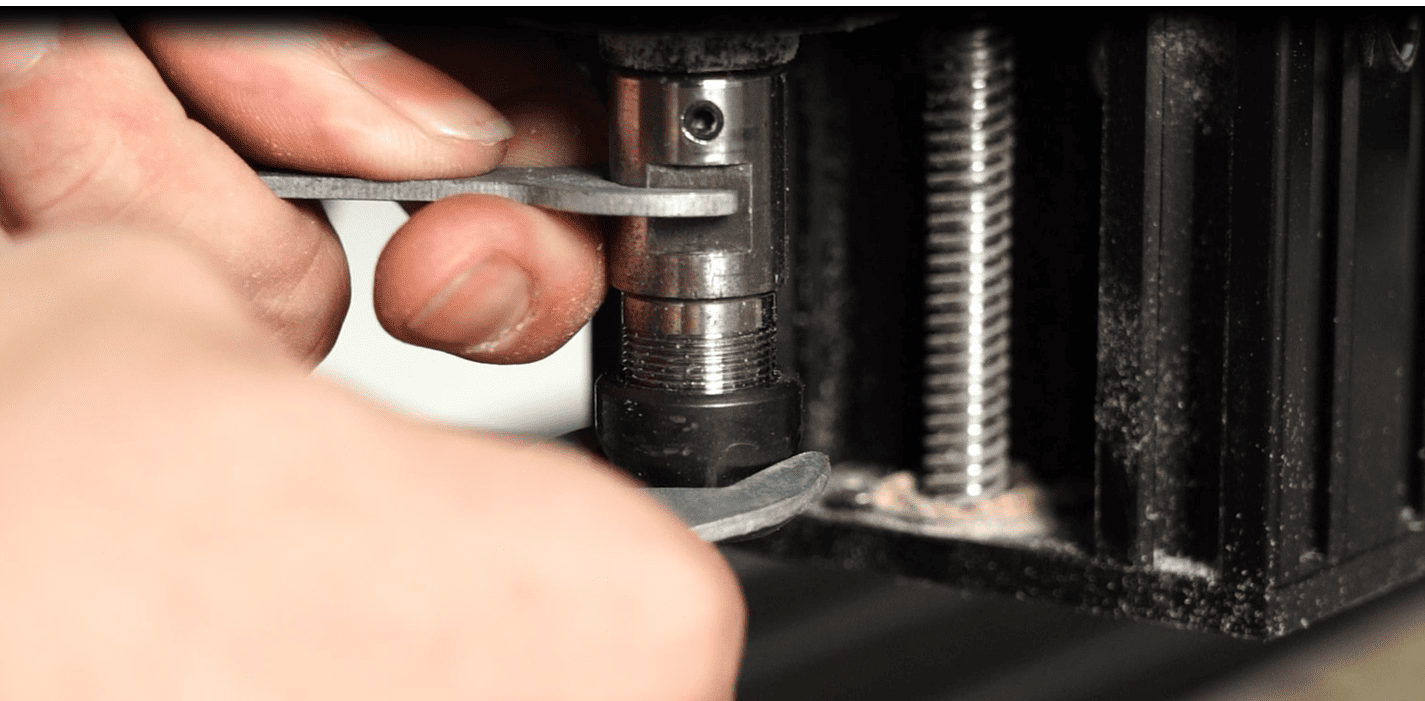
This tutorial provides a detailed explanation of the standard preparation process for performing engraving operations using the TTCH40/TTCH80 laser engraving machine.
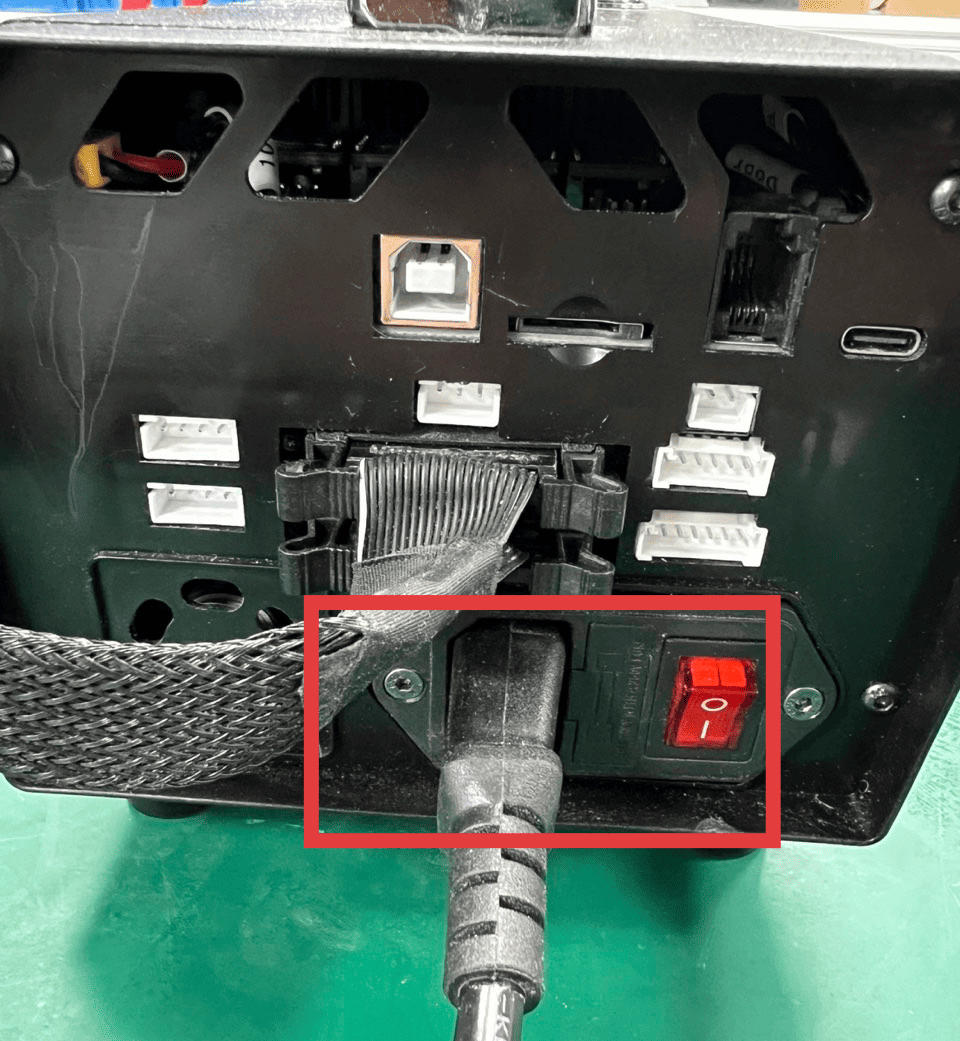
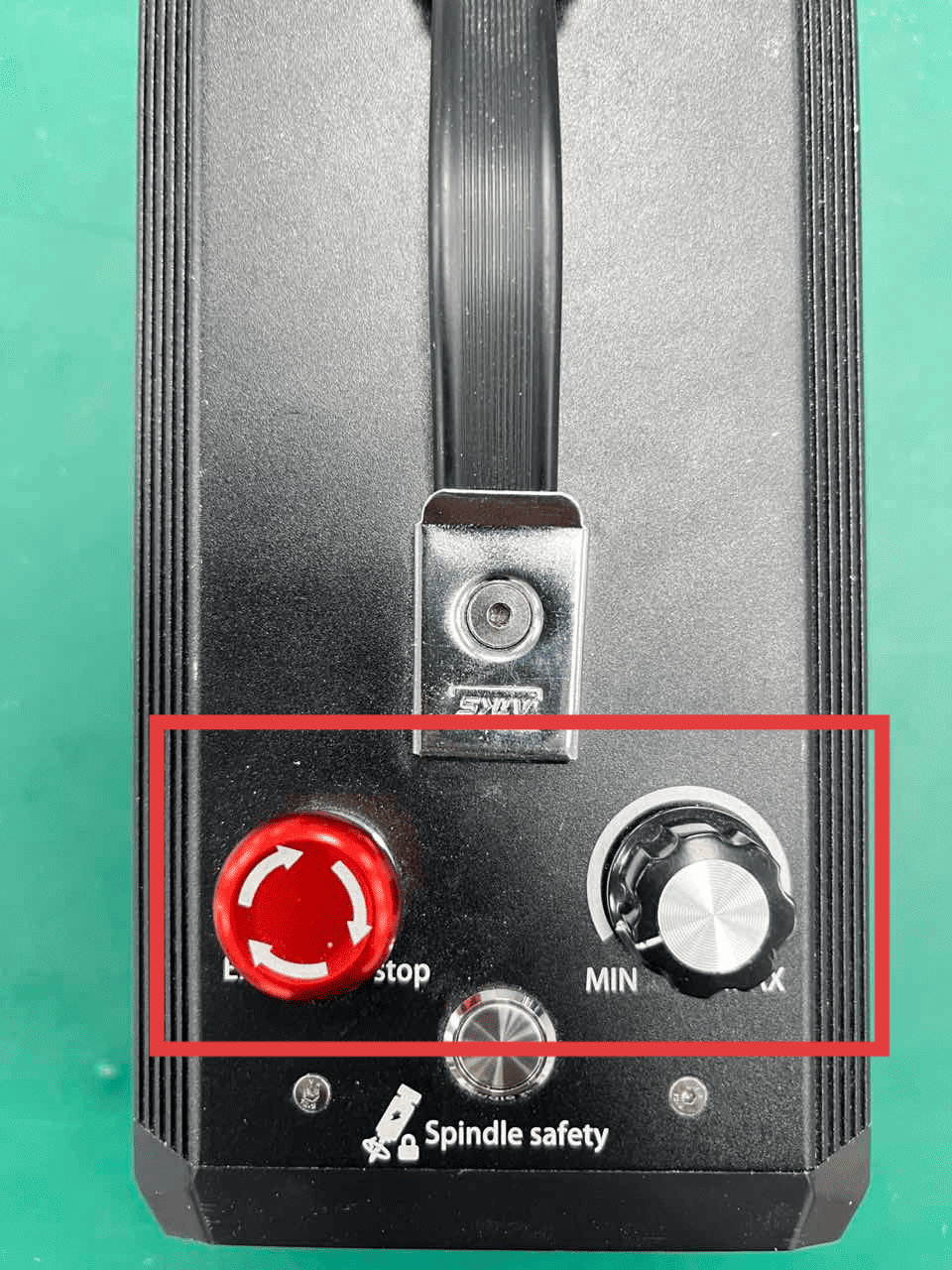
Connect the power cord that comes with the machine to the control box, then turn on the switch. Check whether the red emergency stop switch on the top of the control box is open, and whether the spindle speed adjustment knob has been adjusted to the maximum value.
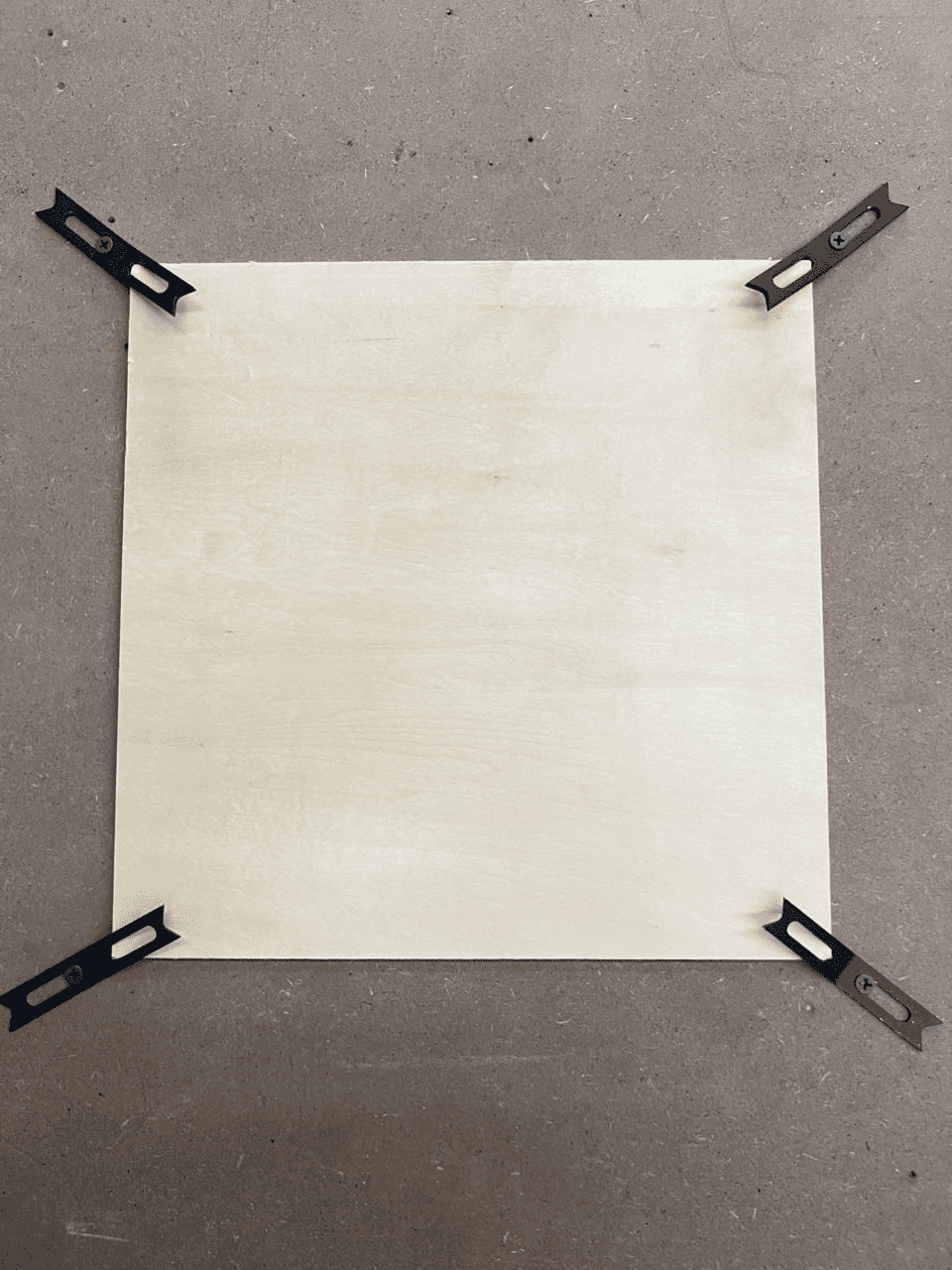
Use a press plate to firmly fix the materials that are needed (Be sure to keep them flat. Avoid any foreign objects in the machine's travel path to prevent re-collision during operation)
## Prepare the documents
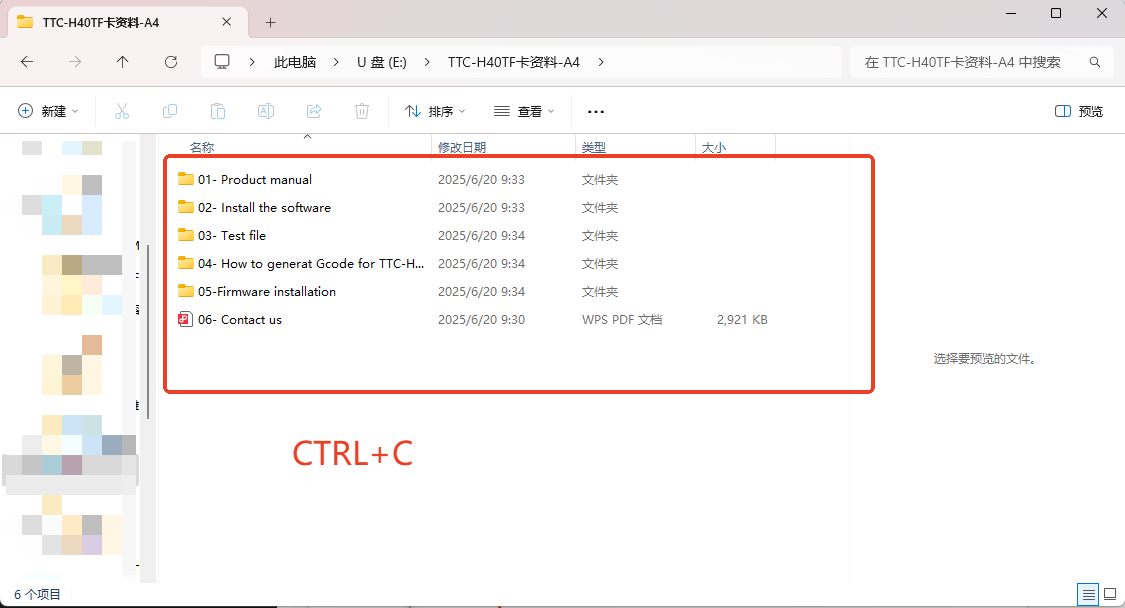
- 1.Copy all the files from the TF card and back them up.
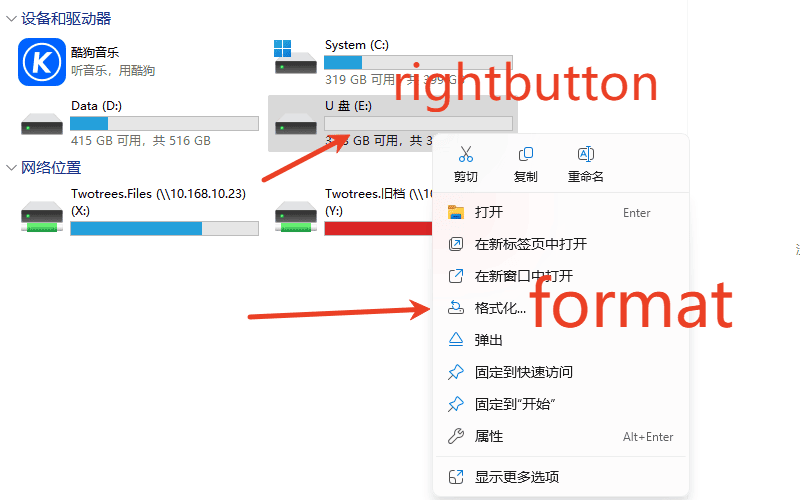
2.Format the TF card
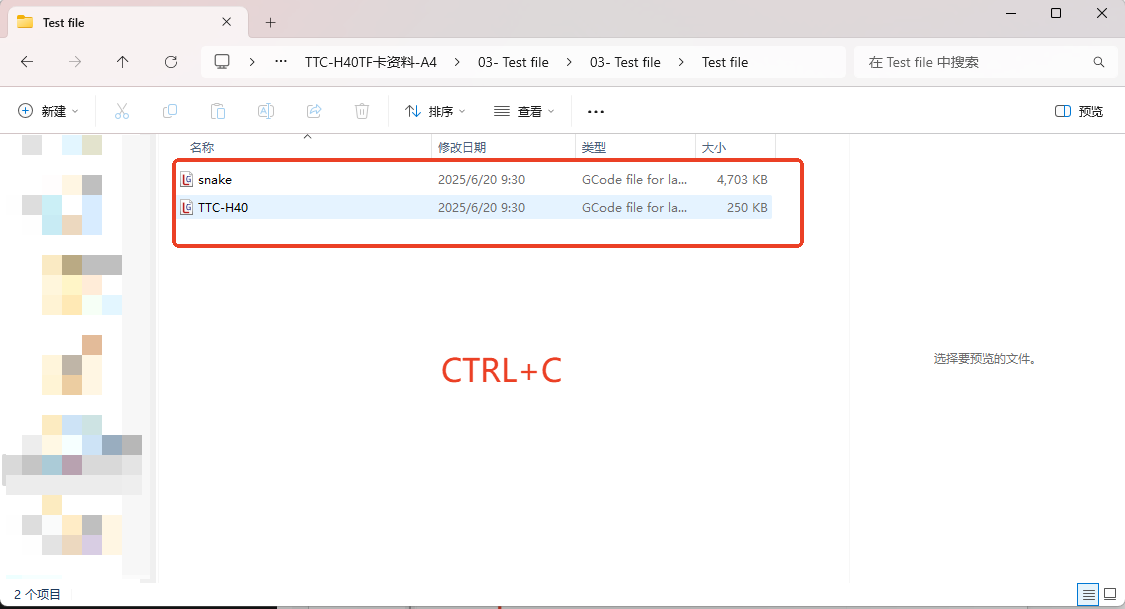
3.Find the test file in the backed-up files and copy and paste it onto an empty TF card.
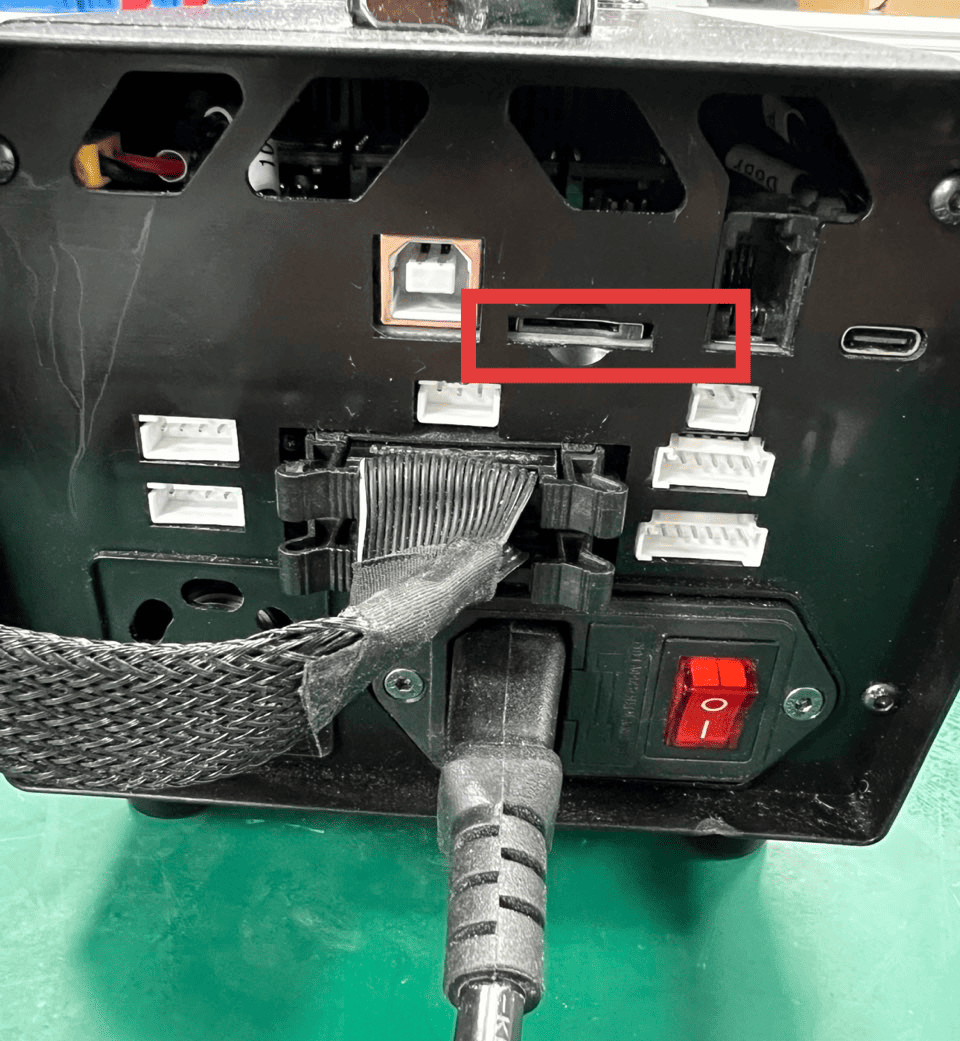
4.Insert the prepared TF card into the card slot at the back of the control box.