¶ Introduction to Common Functions
This section explains the commonly used functional sections in the software.
¶ Main page
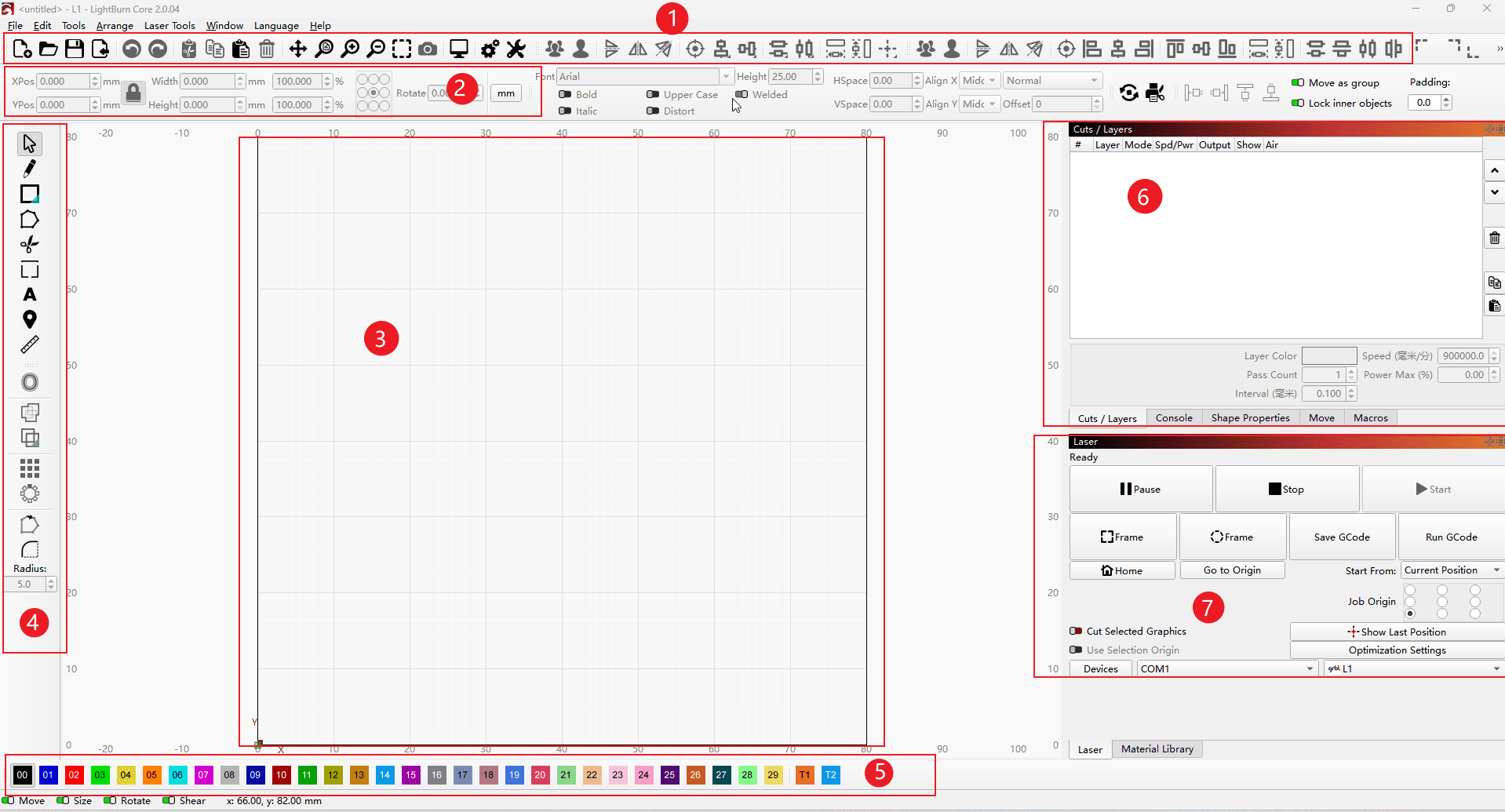
(Arrange in the following order)
- 1.Status bar: The software settings, as well as operations such as file import, are all located in this section.
- 2.Size Bar: Sets the size and position information of the engraved graphics
- 3.Workbench: After importing the configuration file, the maximum engraving size of the area machine is displayed. Please be sure not to exceed it.
- 4.Toolbar: This section contains the graphic settings tool, measurement functions, text input, and other operations. You can hover the mouse over the icons to view the information.
- 5.Color Bar: When there are vector line segments that need to be grouped and require different engraving parameters in the file, you can use the following colors to distinguish them. Set the parameters according to the different colors.
- 6.Parameter Bar: All operations such as setting the carving mode and carving parameters, as well as moving operations, are carried out in this section.
- 7.Workstation: Functions such as starting the carving process and ending the carving process.
|
¶ Cutting/Carving Function
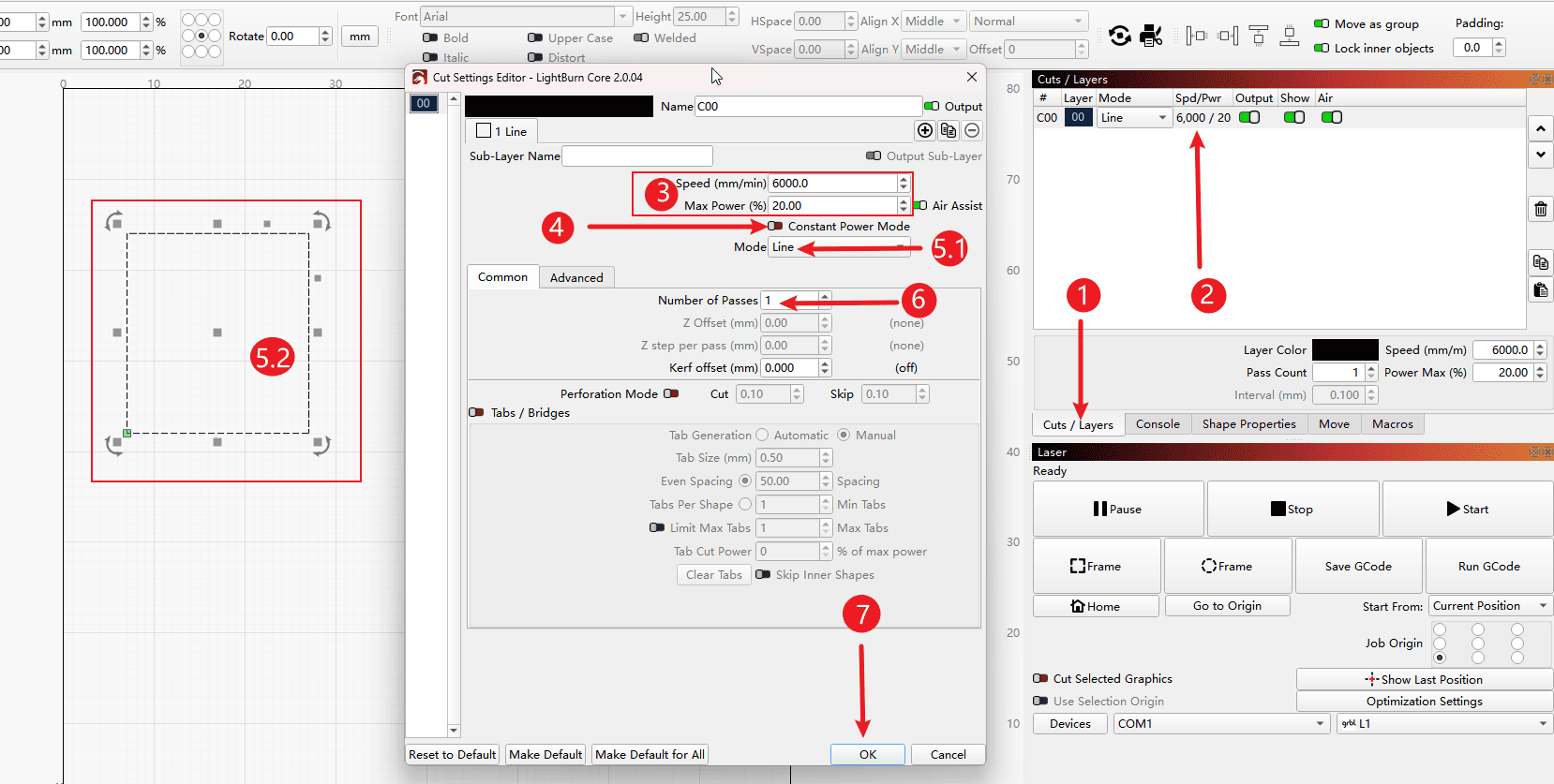
(As per the following sequence numbers)
- 1.Click on the cutting settings bar
- 2.Double-clicking on the “Parameters Settings” option will allow you to enter the parameter settings page.
- 3.The section on engraving speed and laser power settings
- 4.Constant power mode: This mode needs to be activated during cutting, while it remains inactive during engraving operations.
- 5.1.It is possible to set whether the selected line segments in the 5.2 diagram will be engraved as contour lines or filled with colors to form color blocks.
- 6.Set the number of times for engraving or cutting
- 7.Click “OK” to save the settings.
|
¶ Laser Settings Bar
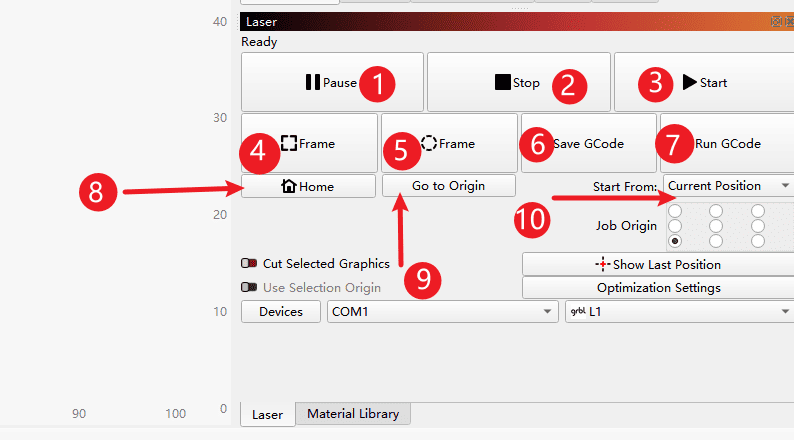
(As per the following sequence numbers)
- 1.Pause button
- 2.Stop button
- 3.Press the start button
- 4.Move along the maximum dimension of the graphic for the square preview
- 5.Move in a circular path along the largest dimension of the graphic for preview.
- 6.Save the file as a gcode file
- 7.Open the pre-made G-code file and run it.
- 8.Return to the original position of the machine (note: do not click if there are no limit switches on the machine)
- 9.Head back to the starting point of work
- 10.Set the starting position of the file. Generally, it is done by carving from the current position.
|
¶ Mobile bar
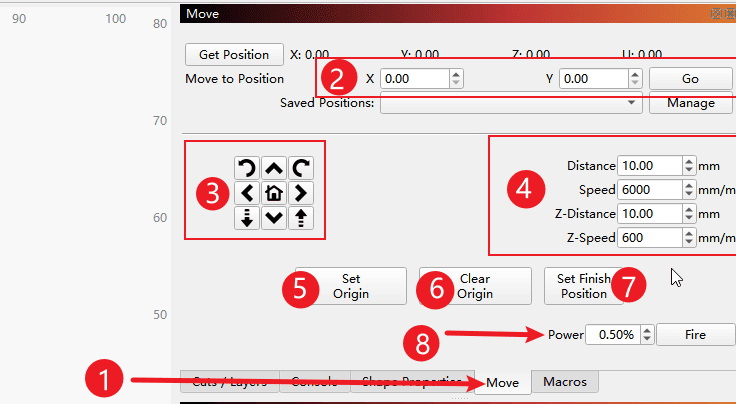
(As per the following sequence numbers)
- 1.Select movement
- 2.Here, you can set the target coordinate position to be moved to, which is convenient for quick movement.
- 3.Direction control button
- 4.Movement speed and movement distance settings
- 5.Set the origin
- 6.Remove the origin
- 7.Set the end position
- 8.Press the laser button
|