¶ How to generate vectors from images
This section explains how to generate vector lines on images. High-quality image formats such as PNG or JPG are required.
Step 1 (Perform the operations in the order indicated)
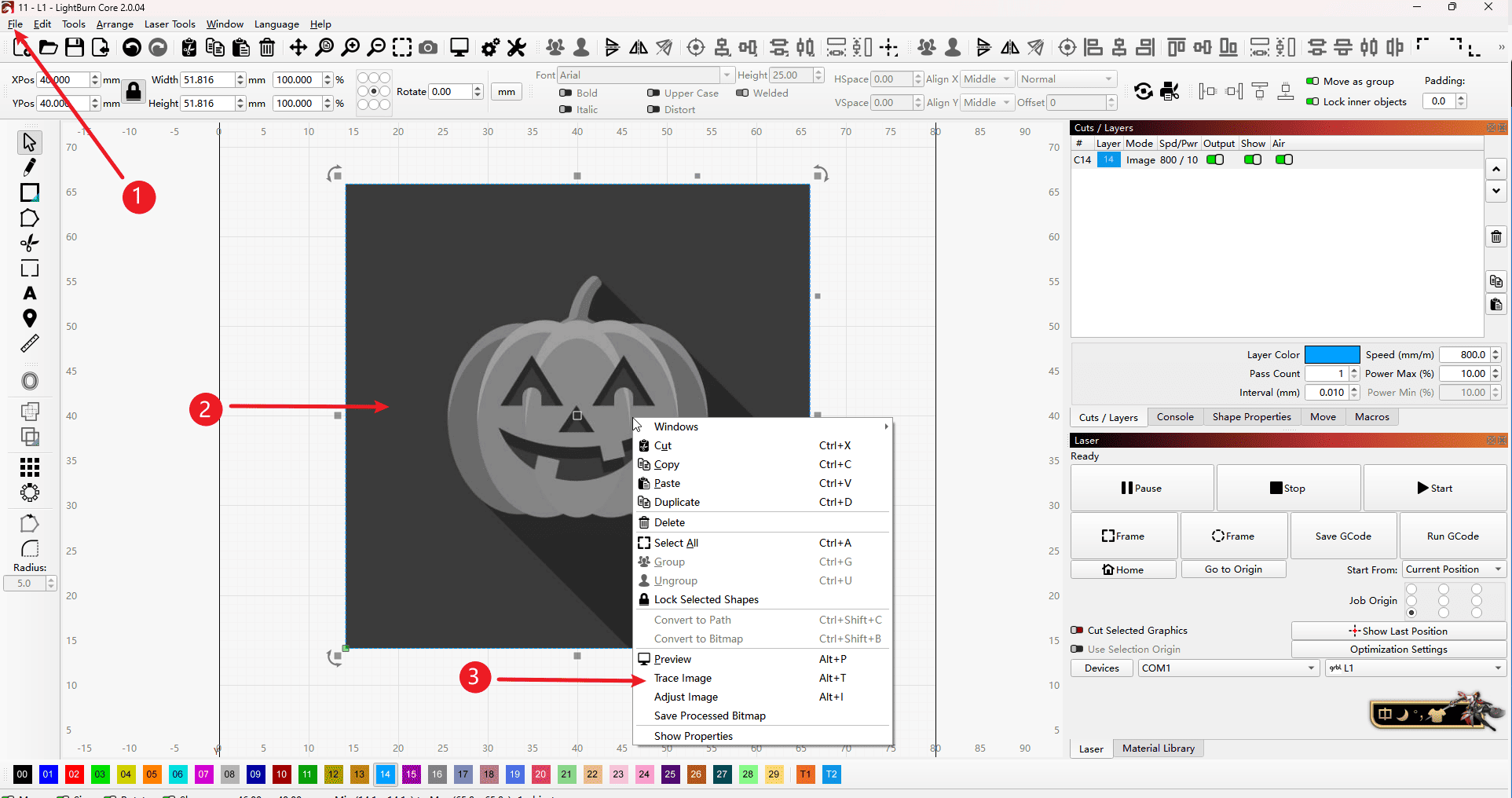
- 1.Open the picture in the upper left corner of the software.
- 2.Click to import the picture
- 3.Right-click tracking vector
|
Step 2
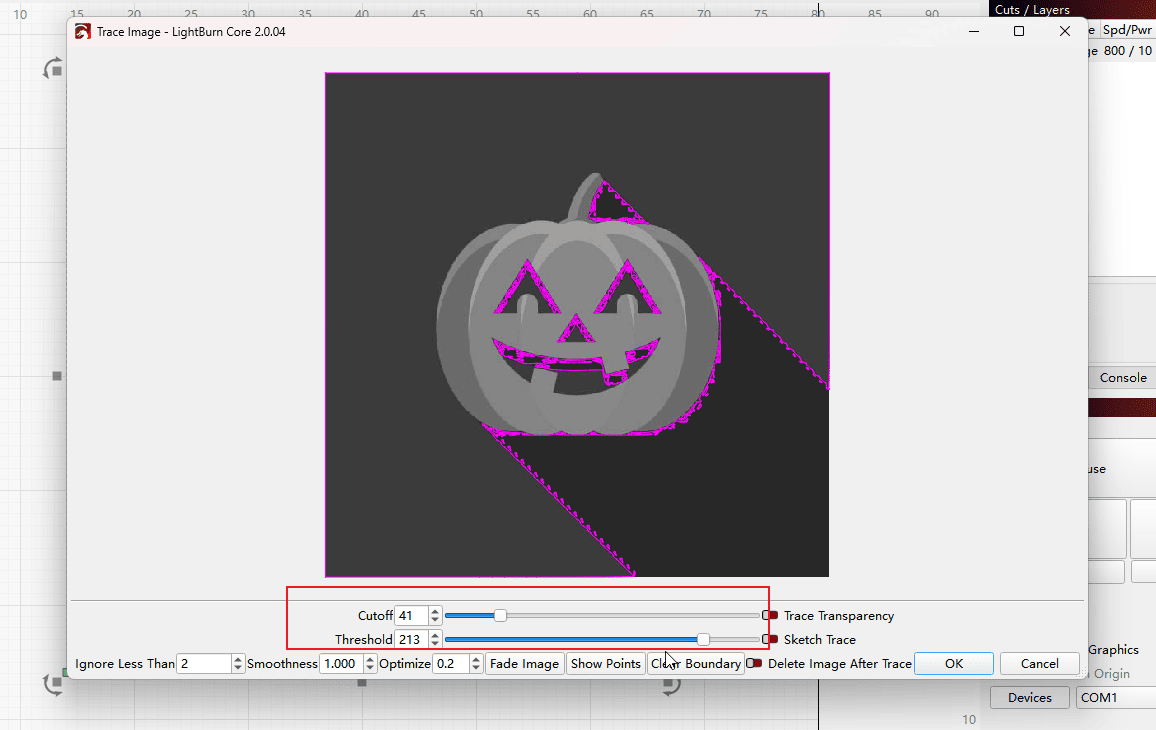
- If the vector lines become messy after the tracking process, you can try adjusting the threshold within the box to make them more orderly.
|
Step 3
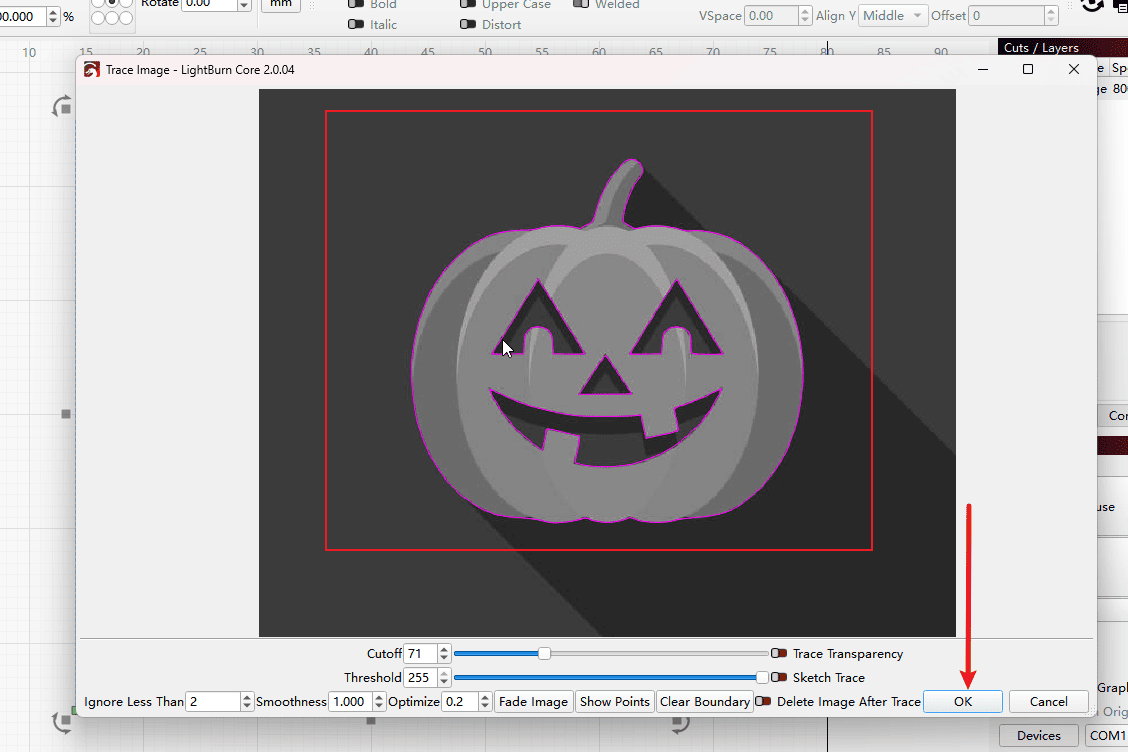
- Adjust until the image in the box is fully displayed. Then click “OK” to save.
|
Step 4
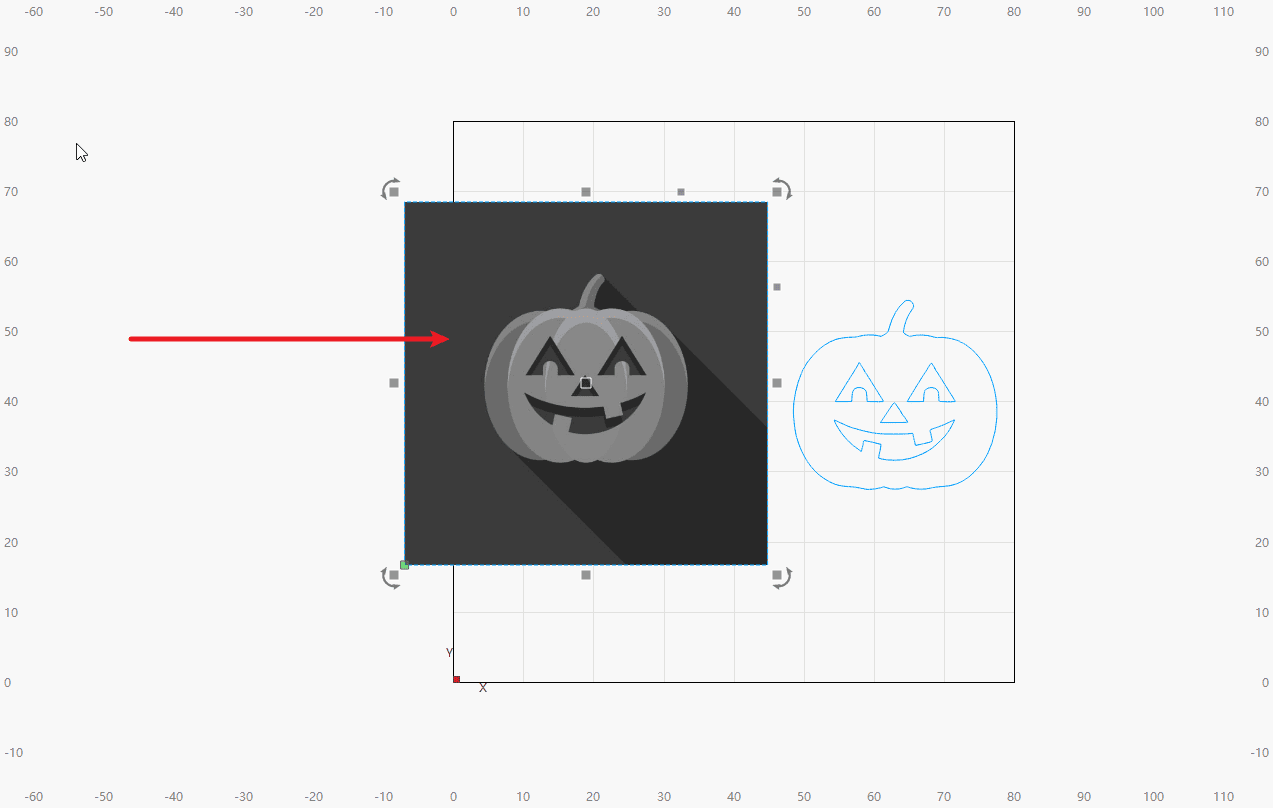
- Drag the picture to reveal the vector segments.
|
Step 5
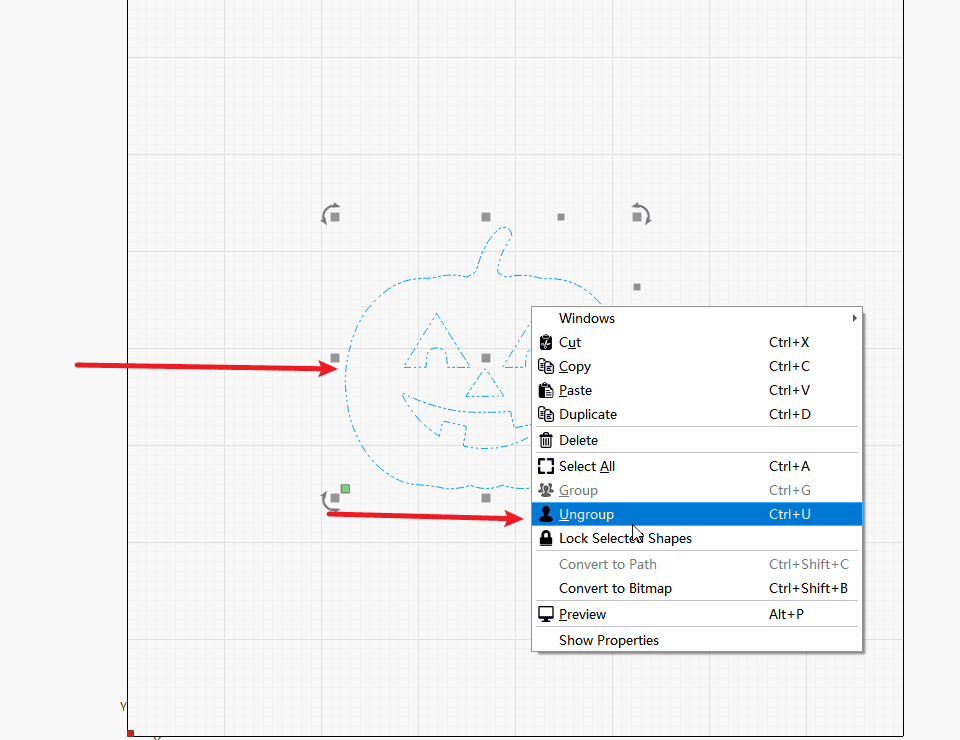
- Select the vector and right-click to split it.
|
Step 6
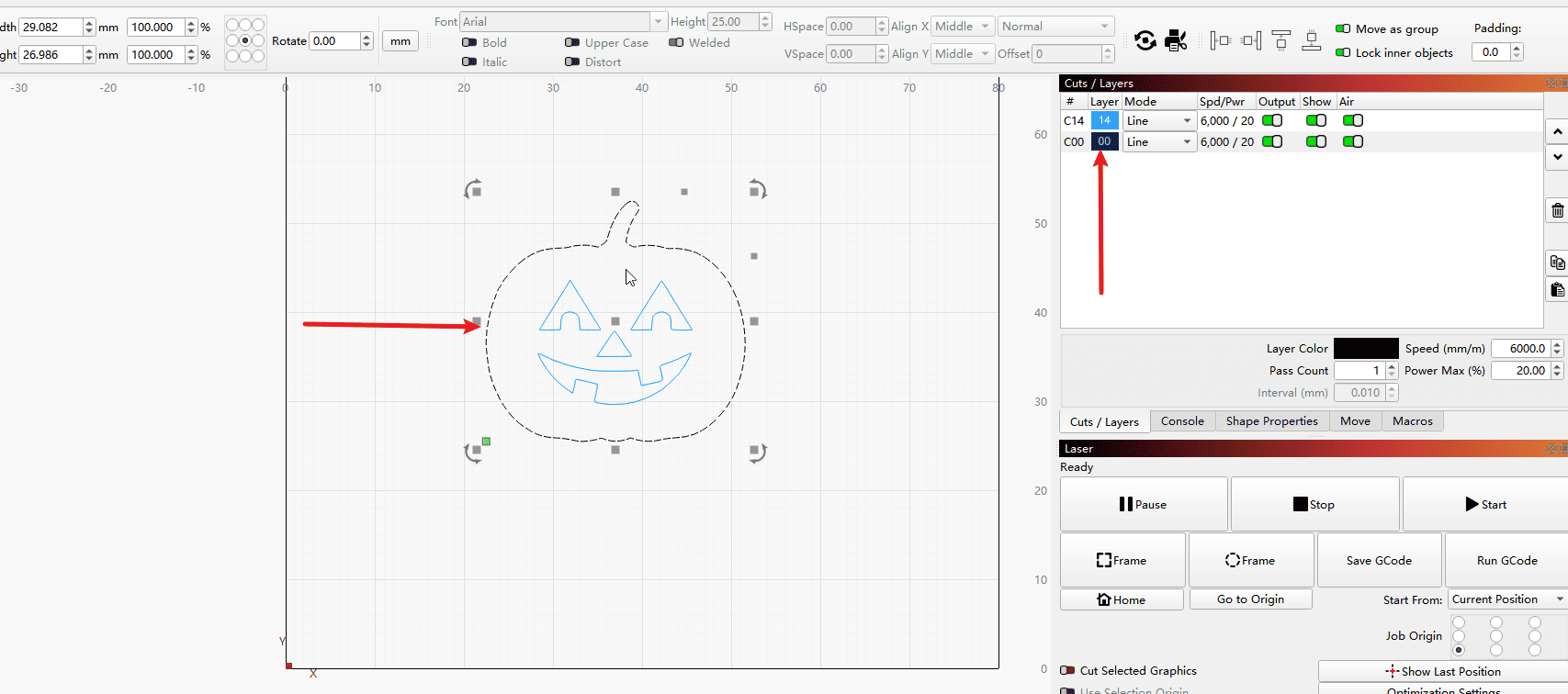
- Click on the individual vector lines to group them.
|