¶ Connection and Page Introduction
This chapter explains how to connect the machine when using LaselGRBL and provides an introduction to the commonly used function panels.
¶ Install the driver
- Driver name: CH340SER.EXE
- Where is this program?
- 1、The TF card provided by the manufacturer.
- 2、Open your browser and search for: CH340SER
- CH340 Official Website
- Note: Failure to install the driver program will result in the computer being unable to connect to the machine. The driver files for Windows and MAC are different.


¶ Connect the machine
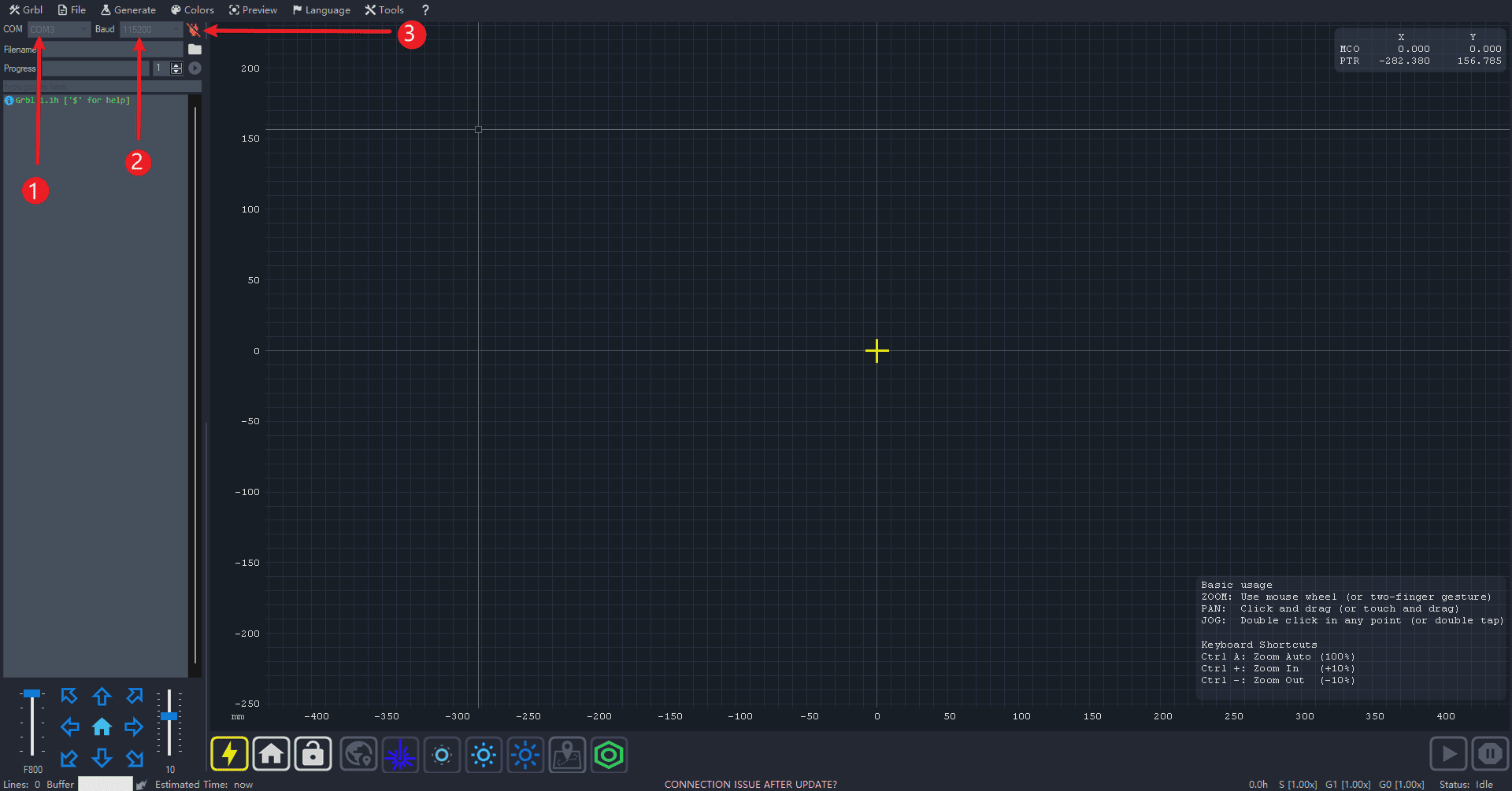
Step 1 (Follow the sequence number for operation)
- 1.Click on the COM port and select the corresponding driver serial port for CH340.
- 2.Select the baud rate as 11520
- 3.Click the link
|
¶ Introduction to Common Functions
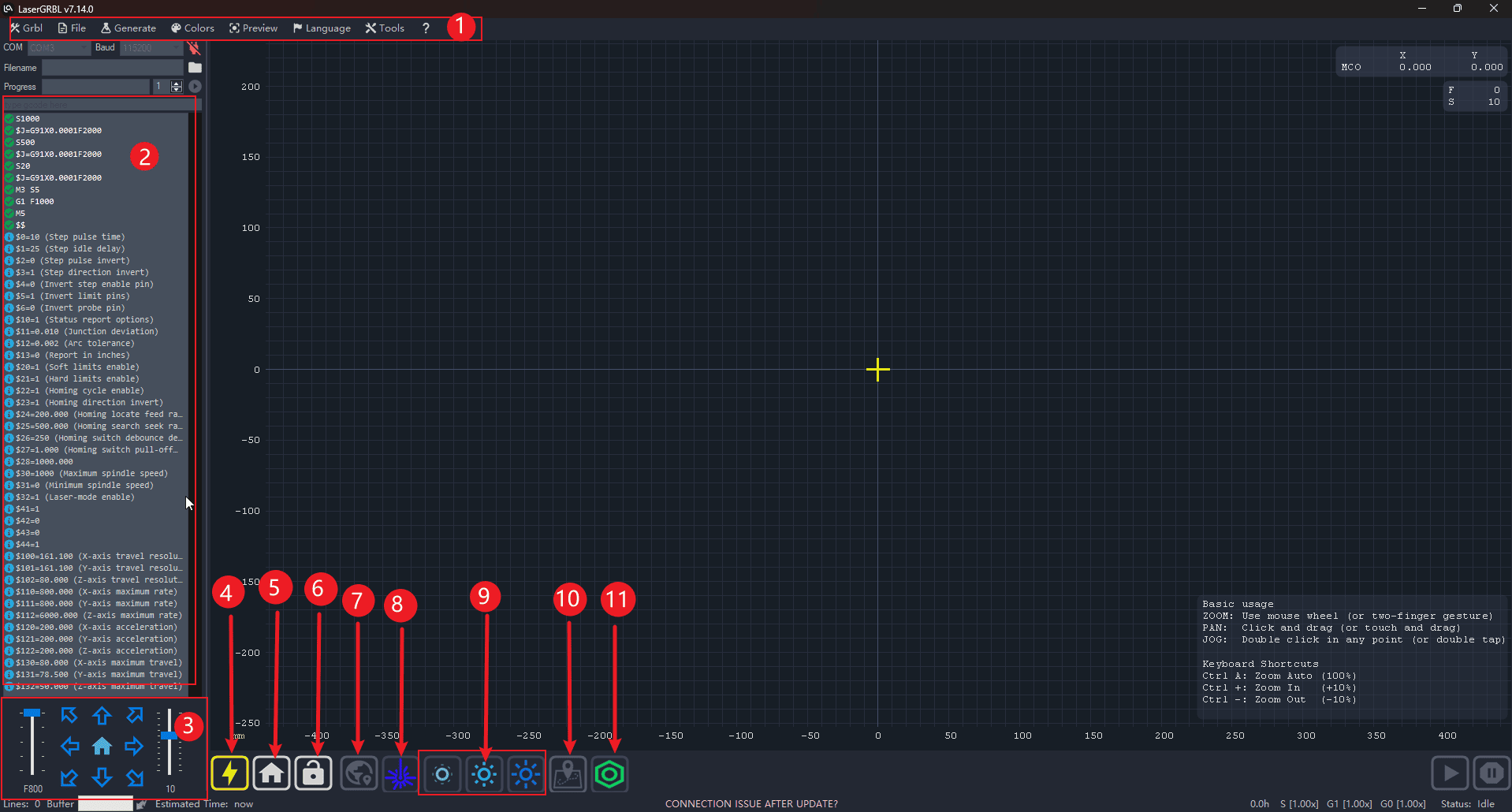
Step 1 (Perform the operations in the order indicated)
- 1.Status bar: All operations such as settings and file management are carried out in this section.
- 2.Workbench: Displays information about running code as well as error messages, etc.
- 3.Console: Controls the direction of the moving machine as well as the speed and distance of its movement.
- 4.Reset the GRBL firmware
- 5.Reset: To bring the machine back to its mechanical starting point (Note: Do not click this function if there are no limit switches on the machine)
- 6.Lock in
- 7.Definition: Identifying the starting point of the work
- 8.Turn on the laser and turn off the laser
- 9.The intensity of the laser
- 10.Check the edge: Verify whether the carving area is within the board.
- 11.Retrieve the firmware settings information
|