¶ Introduction to Common Functions
This section explains some of the common functions and meanings of this software.
¶ Creation Section
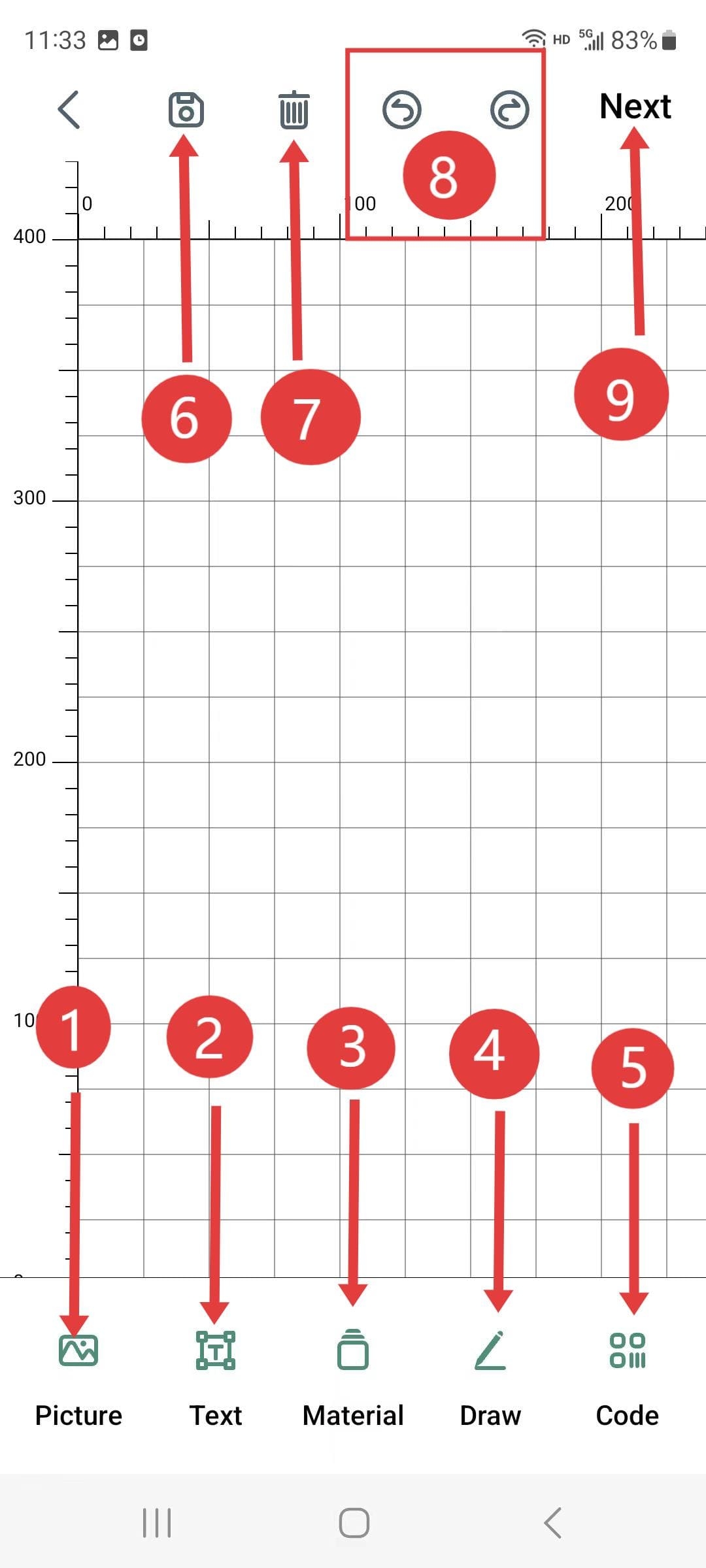
(Arrange according to the following numbers.)
- 1.Album: You can open the pictures within the album as the carving materials.
- 2.Text: You can write the text yourself for the engraving.
- 3.Materials: After opening, there is a pre-prepared materials library available for selection.
- 4.Hand-drawn: You can draw the patterns yourself for the carving process.
- 5.Barcode: It can generate QR codes or barcodes for engraving.
- 6.Save: Save the prepared materials
- 7.Delete
- 8.Backward: Can go back to the previous step and the next step of the operation.
- 9.Next step: Once the materials are ready, simply click to upload them to the engraving machine.
|
¶ Control panel
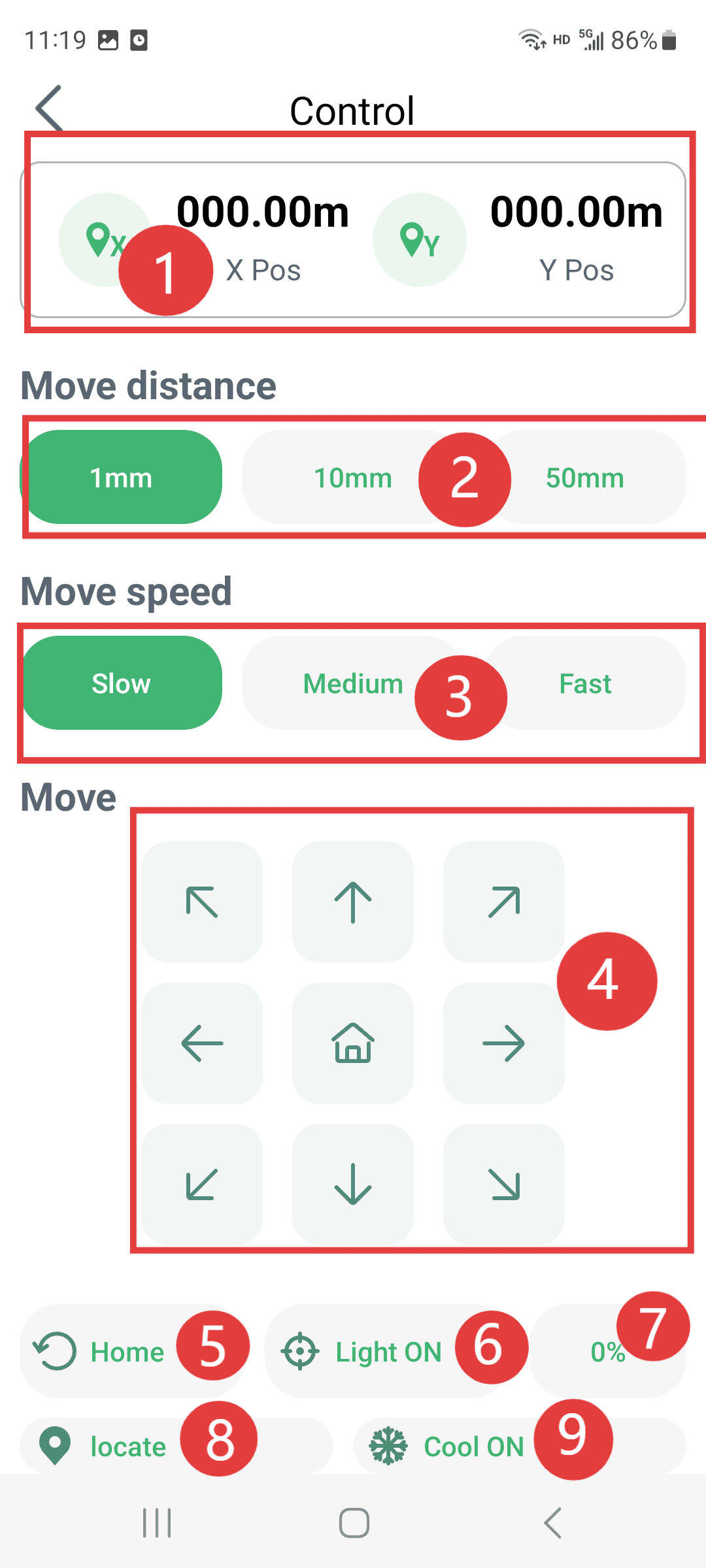
(Arrange in the following order)
- 1.Coordinates: The current position of the Z-axis and the Y-axis after resetting. After resetting, this becomes the working origin.
- 2.Movement distance: You can set the distance for each movement.
- 3.Movement speed: No setting for the speed of each manual movement
- 4.Direction keys: Control the direction in which the machine moves.
- 5.Reset to Zero: Return to the mechanical zero point (do not click this setting if no limit switches are configured on the machine)
- 6.Ignition: The laser can be manually turned on and off.
- 7.Light intensity: The intensity of the laser when it is turned on can be set.
- 8.Function: It can determine the current position of the laser head as the working origin.
- 9.Cooling: The air pump can be turned on without using this function.
|